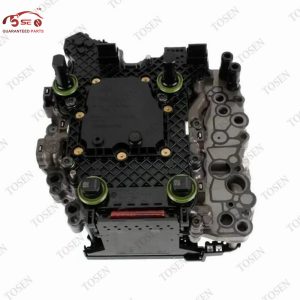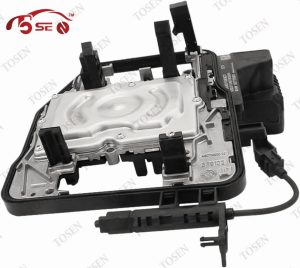
0AM and 0CW both appear in the DQ200 seven-speed dry dual-clutch transmission family, but the shared family name does not make two gearboxes, mechatronic units or control modules interchangeable. A workshop should identify the installed unit and the exact part being replaced before comparing listings.
For an 0AM vs 0CW transmission decision, start with the gearbox label, application code, controller or mechatronic number, VIN and fault scan. Then define whether the quote is for a complete gearbox, complete mechatronic, TCU board or repair of the original unit. Those details turn a broad DQ200 description into a fitment question a supplier can answer in writing.
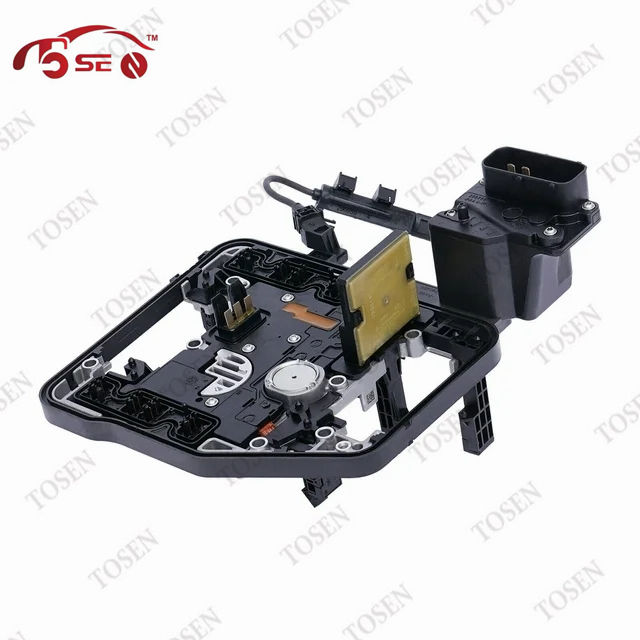
0AM and 0CW Are Related DQ200 Designations, Not a Fitment Answer
| Item | Description |
|---|---|
| DQ200 | The transmission design family. It describes the broad architecture, not one universal replacement unit. |
| 0AM | A DQ200-related gearbox and parts designation. It still needs an application code and exact part number. |
| 0CW | A designation that official Audi material maps to DQ200-7F. It also needs exact application and part identification. |
Audi power-transmission training material identifies 0CW as DQ200-7F, with seven speeds, two electrohydraulically controlled dry clutches, an integrated mechatronic unit and separate hydraulic and gearbox oil systems. The same document points to the 0AM self-study material for the underlying technology. That supports a family relationship, not a blanket parts cross-reference.
| Label | What it establishes | What it does not establish | Next evidence |
|---|---|---|---|
| DQ200 | Related seven-speed dry dual-clutch architecture | Exact gearing, software or replacement part | Installed gearbox and unit labels |
| 0AM | The 0AM branch of the DQ200 context | A universal controller or mechatronic fit | Gearbox code and exact OE number |
| 0CW | The 0CW / DQ200-7F context | Compatibility with an 0AM unit or another 0CW application | Gearbox code, VIN lookup and exact OE number |
Use the label as a starting point
If a listing says only DQ200, 0AM or 0CW, ask for the exact unit number and the application evidence behind the fitment claim.
Read the Identifier Stack Before Comparing Parts
- Photograph the transmission and mechatronic labels before removal. Capture the full label, not only the 0AM or 0CW prefix.
- Record the gearbox application code from the installed transmission. This matters most when the quote is for a complete gearbox.
- Copy the complete controller or mechatronic OE number, including its suffix. This is the starting point for an electronics or complete-mechatronic quote.
- Provide the full VIN for an application lookup. Use it to support the physical evidence, especially when production ranges overlap.
- Save the transmission scan and available software identification before clearing codes or disconnecting the old unit.
Treat disagreement as useful information. If the VIN lookup, label, gearbox code or current controller data point in different directions, the vehicle may have a prior replacement or the listing may use a broad family description. Stop comparing prices until the installed configuration is reconciled with the applicable parts information.
- Each photo is sharp enough to read every character and suffix.
- The gearbox code belongs to the installed unit, not an invoice for a previous repair.
- The VIN lookup and physical label describe the same application, or the difference is explained.
- The quote repeats the exact number and scope being supplied.
- The workshop keeps the original scan and software details with the job.
Match the Evidence to the Part You Are Buying
Decide the repair boundary before choosing a listing. A complete gearbox needs application and gearing evidence. A complete mechatronic needs the correct unit identity, hydraulic configuration and software path. A bare controller needs an exact electronics match and a sound hydraulic assembly. Repairing the original controller keeps its physical identity in the job but still requires a diagnosis of what actually failed.
| Purchase scope | Minimum match | Confirm in writing | Main wrong-order risk |
|---|---|---|---|
| Complete gearbox | VIN/application lookup, installed gearbox code and relevant gearing/application data | Transmission code, supplied assemblies, transferred parts and installation requirements | A DQ200 unit from the wrong application |
| Complete mechatronic | Exact mechatronic/controller number, gearbox application and VIN | Hydraulic block, controller, sensors, software state and required settings | Correct housing family with incompatible electronics or software |
| TCU or control board | Full controller number and suffix, hardware/software identity and donor/blank state | Programming or cloning path, retained data and compatibility with the existing hydraulic unit | New electronics paired with the wrong hardware or unresolved hydraulic fault |
| Repair of the original unit | Original label, fault scan and separation of electronic from hydraulic/mechanical faults | Repair scope, test scope, retained software data and non-repairable outcome | Sending the wrong subsystem or hiding a separate gearbox fault |
- Ask whether “complete” includes the controller, hydraulic valve body, sensors, seals and any required transferred components.
- Do not use connector shape or mounting points as the only match. Physical fit does not establish software or application fit.
- Keep the removed unit until the replacement operates correctly and the supplier's return or warranty terms are clear.
- If the failed subsystem is still uncertain, price diagnosis before choosing between board, mechatronic and gearbox replacement.
Define the Software State and Post-Install Work
- Define the received state — blank controller, software-preloaded unit, cloned data, repaired original or complete factory-configured assembly.
- Match the application — compare the exact hardware and software identity with the vehicle and installed gearbox.
- Assign vehicle data work — state who performs programming, coding or permitted security-data handling and which tool or service is required.
- Install under current vehicle-specific service information — protect the hydraulic system, connectors and transferred parts.
- Complete the required basic settings and functional test — save the results and any remaining fault information.
The words “programmed” and “ready to fit” are incomplete unless the quote says what software is loaded and what the installer must still do. A repaired original controller may retain vehicle data, while a new or donor unit can follow a different path. Use the applicable transmission control unit guide and current service information for the exact vehicle rather than a generic sequence.
- Supplier states the hardware number, software condition and any data retained from the original unit.
- Workshop confirms access to the required diagnostic and programming tools before installation.
- Responsibility for coding or security-related setup is named; no bypass method is assumed.
- Basic settings and the post-install test are included in the labor plan.
- The quote explains how a software mismatch or failed setup is handled under warranty.
Diagnose the Fault Before Selecting the Replacement Scope
| Evidence pattern | Possible branch | Before buying |
|---|---|---|
| Controller will not communicate or loses communication | Power, ground, network, connector or controller electronics | Save the full scan and test the vehicle-side circuit before condemning the TCU |
| Pressure, pump or actuator evidence | Hydraulic/mechatronic system | Confirm whether the quote covers the hydraulic assembly, controller or both |
| Judder, slip or engagement concern without a clear control fault | Clutch, mechanical, adaptation or mixed cause | Measure and diagnose the gearbox before ordering electronics |
| Codes appeared after a prior replacement | Fitment, software state, wiring, setup or separate gearbox fault | Compare the installed number and software details with the prior quote and work performed |
Keep the original scan before clearing faults. Record battery condition, connector or wiring findings, when the symptom occurs and any prior gearbox work. Give those details to the diagnosing technician and supplier, but do not treat one code or one symptom as proof that a particular replacement unit will fix the vehicle.
A scan narrows the branch
The purchase follows the diagnosed subsystem and exact installed identity. If either is uncertain, spend on diagnosis before committing to a part and repeat labor.
Send a Quote Packet That Forces Clear Answers
- Full VIN and vehicle market, model and build information available from the vehicle record.
- Installed gearbox application code and clear photograph of its label or stamping.
- Complete old controller or mechatronic number, including every suffix and software identifier that can be read.
- Unedited transmission fault scan plus relevant power, wiring, hydraulic or clutch findings.
- Required scope: complete gearbox, complete mechatronic, controller board or repair of the original unit.
- Required software state and the workshop's available programming and diagnostic tools.
- Quantity, destination and date needed, with photographs attached rather than transcribed from memory.
Ask the supplier to repeat the exact quoted number, included components, software condition, test scope, work remaining after installation and warranty boundary. A useful reply should also say which part of your evidence supports the fitment. When the exact controller is still unknown, compare transmission control units and mechatronics by supplied scope before asking for a specific unit.
If the installed evidence confirms an 0AM927769D requirement, compare it with TOSEN's DQ200 0AM927769D DSG automatic transmission TCU. Do not use that product page as proof of an 0CW application. Keep the supplier's written response with the invoice and the old unit until the vehicle has completed the applicable setup and test.
Request a fitment-confirmed quote Send TOSEN AUTO the VIN, gearbox code, old-unit label photos, fault scan, required supply scope, software state, quantity and destination. Ask for the exact part, box contents, testing, post-install work and warranty terms in writing. Use the existing TOSEN product, category and technical-guide pages.
Frequently Asked Questions
Is the vehicle model year enough to choose between 0AM and 0CW?
No. Model year can narrow an application, but production overlap and prior replacements can change what is installed. Use the VIN lookup with the physical gearbox and mechatronic labels, then match the exact part number and software path.
What if the gearbox label and current controller number seem to belong to different families?
Treat the mismatch as a reason to investigate the vehicle's repair history and current software identification. Photograph both labels and provide the full scan and VIN. Do not order until the supplier or workshop explains the combination against applicable parts information.
Can I replace only the TCU board instead of the complete mechatronic unit?
Only when diagnosis supports an electronics repair and the existing hydraulic assembly is suitable. A board-only quote must state the exact controller match, programming or cloning work, transferred parts and who tests the combined assembly afterward.
Does pre-programmed mean the replacement needs no setup?
Not necessarily. Ask which software is loaded and whether coding, permitted security-data work, basic settings or a guided road test remain. Assign each task and tool before the part ships.
Should the workshop return the old unit immediately?
Keep it until the replacement has completed the applicable setup and functional test, unless a core-return deadline requires another arrangement. The original label and unit can be important when identity, software or warranty questions arise.
What should I do if my evidence points to 0CW but the supplier shows only an 0AM product?
Do not reinterpret the 0AM listing as an 0CW fitment. Send the complete identifier packet and ask whether the supplier can quote the exact 0CW requirement. If it cannot, use a source that can confirm that specific application in writing.
Confirm the Unit Before the Gearbox Comes Apart
Use 0AM, 0CW and DQ200 to find the right technical context, then let the installed gearbox code, exact unit number, VIN, diagnosis and required supply scope decide the quote. The workshop should know what arrives, what software work remains and who completes the basic settings before it removes the old unit.
Confirm the exact replacement scope Send TOSEN AUTO the complete identifier and fault packet. Request the quoted part number, included components, software state, test scope, post-install work and warranty terms in writing before ordering. Use the existing TOSEN enquiry and verified catalog pages.